
SMS for Manufacturing: Text Alerts for Safety, Shifts and Customer Orders
Move a shift, warn the floor about a hazard and tell trade customers when their order ships. From 4.85c per SMS, with no contract.
See pricingStart your free trial5 free SMS credits. No credit card needed.
What Is SMS for Manufacturing?
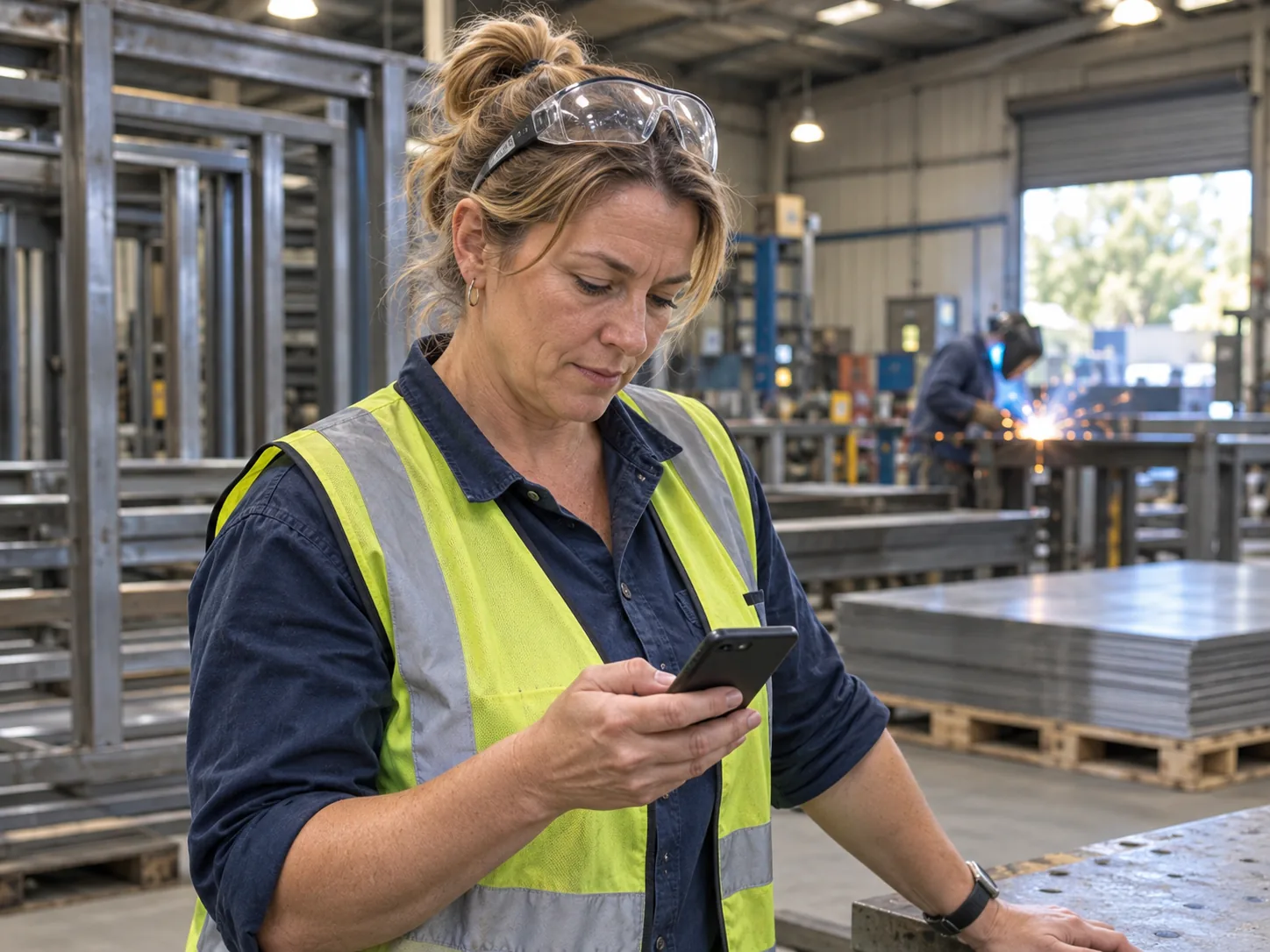
SMS for manufacturing means using plain text messages to reach people on the factory floor, on the road and at customer sites. A text lands in seconds on any mobile, even one with no data or apps. Workers read it on a break, and drivers read it at the next stop.
Most manufacturing texts fall into three groups. Staff texts cover shift changes, overtime and site safety. Customer texts confirm delivery windows, quotes and orders ready to collect. System texts come from your own software when a machine stops or a job is done. Each kind is short, so a worker can act on it straight away and get back to the line.
Why Manufacturers Across Australia Use SMS Papa
Factories, fabricators and equipment suppliers use SMS Papa for the texts that keep lines running and orders moving. Select a job to watch a local metal workshop do it.
Shift Changes
Every worker hears about a change before they leave home.
Nobody turns up to a line that is down, and nobody misses an early start. Supervisors see who replied and who still needs a call.
A supervisor texts the floor staff group from a sub-user login. Workers reply to confirm.
Site Safety Alerts
The whole site hears about a hazard at the same time.
A text reaches people who missed the morning toolbox talk. It backs up your signs and your safety officer, and it helps improve safety by recording when each warning went out.
Send one safety message to every worker on the floor. Name the hazard, the place and what to do.
Delivery Windows
Customers have a forklift and a person ready at the gate.
Your truck unloads and leaves on time, so the next drop is not late. The customer can text back if the window does not suit.
Tell each trade customer when their order will arrive. Paste the mobile and use the delivery template.
Orders Ready to Collect
Customers collect stock as soon as it is ready.
Finished goods leave the dock sooner and free up floor space. Your office makes fewer calls to say an order is waiting.
Have a developer connect your order or ERP system to the SMS API. When a job is marked done, the customer gets a text.
Quote Follow-Ups
Buyers ask their questions while the quote is fresh.
A short text gets a faster answer than another email. You can adjust the quote the same day and win the job.
Text a buyer after you email a quote. Their reply comes into your 2-way chat.
Contractor Notices
Contractors arrive knowing the rules.
Each contractor has the gate, the time and the PPE on their phone. Inductions start on time, and the shutdown work starts sooner.
Paste the mobiles of the contractors due on site. Send site rules and sign-in times in one text.
Machine Fault Alerts
Maintenance knows about a fault in minutes.
A stopped press on night shift gets help before the backlog grows. The text names the machine, so the fitter brings the right tools.
Link your plant monitoring system to the SMS API, so the maintenance team gets a text when a machine stops.
Overtime Sign-Ups
Overtime offers go to people who want them.
Workers choose to be on the list, so fewer texts go unanswered. You fill a Saturday shift with one message.
Workers opt in by texting JOIN OT and their name. Extra shifts then go only to that list.
SMS Templates for Manufacturing
Store the texts your team sends every week. Any supervisor or office staff member can send them in a click, with the same clear wording.
Shift Change
Send it as soon as a line or roster changes. Ask for a reply.
Line 2 is down for maintenance tomorrow. Line 2 day shift, please start on Line 4 at 6am.
Safety Alert
Send it the same day a hazard or near miss is found.
Safety alert: forklift near miss in Bay 3 today. Use marked walkways only. Toolbox talk at 7am tomorrow.
Delivery Window
Send it the day before delivery, with a two-hour window.
Hi Craig, your Kestrel Metalworks order 5521 arrives Thursday between 7am and 9am. Reply if that time does not work.
Order Ready
Send it when the job leaves the line. Give the dock and the hours.
Kestrel Metalworks: order 5521 is ready to collect from Dock 2. Bring your order number. Open 6:30am to 3pm.
Service Due
Send it to customers who bought equipment from you, when a service is due.
Hi Helen, the compressor you bought from Kestrel Metalworks is due for its yearly service. Reply to book a time.
Plant Shutdown
Send it two weeks before a planned shutdown to staff and customers.
Kestrel Metalworks closes 22 Dec to 6 Jan for the yearly shutdown. Orders placed by 12 Dec ship before we close.
SMS Tools for Factories and Equipment Suppliers
Each tool helps a busy plant send texts fast and keep a record of what went out.
Timed Sends
Routine texts go out on time, every time.
Set the monthly offcut sale or the weekly roster reminder once. Staff and customers get it on schedule while you run the floor.
Pick when a text sends, or set a repeat. It still sends when nobody is at a desk.
Staff and Customer Groups
Safety texts go to staff, and offers go to customers.
A shift change never reaches a customer by mistake. New starters join the floor staff group in seconds.
Keep floor staff, contractors and trade customers apart. Add numbers by hand, by Excel upload or by copy and paste, all into the right group.
Delivery Reports for Alerts
You can see who did not get a safety alert.
The report gives your safety officer a list of workers to brief in person. It also records the time each warning went out.
Once a text goes out, a report of the mobiles it reached comes by email. Some carriers do not return every result.
Worker First Names
Each text reads like it came from the supervisor.
People act faster on a message with their name on it than on a notice board sheet.
Use the #first name# tag. SMS Papa fills in each worker's name from the contact book.
Opt-Out by Reply
Marketing lists stay tidy without admin.
Trade customers who want fewer offers can leave, and you keep their order texts going.
A customer who replies with the opt-out word leaves that marketing group. SMS Papa takes them off at no charge.
Company Name Sender
Staff and customers see your company name first.
A named sender looks official, so a safety or delivery notice is not mistaken for spam.
Your company name can replace the mobile number as the sender. Keep it to 11 characters. Nobody can reply to it. Register it on the ACMA Sender ID Register first.
Email to Text
The sales office texts from the program it already uses.
A salesperson can send a quote by email and a heads-up text in the same minute, with nothing new to install.
In Outlook or Gmail, write to the worker's or buyer's mobile number with @smspapa.com.au on the end. The message arrives as an SMS.
Try SMS Papa free5 free SMS credits. No credit card needed.
SMS for Every Kind of Manufacturing Business
Every corner of manufacturing has its own texting jobs. See which fits:
Metal fabricators
Shift changes, delivery windows and quote follow-ups.
Food and drink manufacturers
Shift rosters, cleaning schedules and dispatch times.
Equipment suppliers
Order ready texts, service reminders and installation times.
Timber and joinery workshops
Job ready texts and site delivery times.
Plastics and packaging plants
Machine fault alerts and overtime offers.
Printing and signage businesses
Proof ready texts and order pickup.
Australian Carriers, Local Support and No Contract
We keep your data in a secure data centre in Sydney.
We send through Australian carriers Telstra, Optus, Vodafone and Virgin.
You sign no contract and pay no monthly fee.
Call our local team on 1800 671 823.
Frequently Asked Questions
Is SMS Papa a Safety Management System (SMS)?
No. A safety management system is the set of policies and steps a business uses for identifying hazards, risk management and safety assurance. Setting one up is a health and safety job for your team. SMS Papa sends text messages, and many sites use it to send safety alerts as one part of that system.
Can SMS Papa Send Texts from Our Production Software?
Yes, through the SMS API. There is no built-in link to ERP or plant software, so a developer connects your system to the API.
Is There a Free SMS Notification Service?
New accounts get 5 free SMS credits for a trial run. After that, you buy prepaid packs. The price per text falls as packs get bigger, to 4.85c per SMS.
How Fast Can the SMS API Send?
The SMS Papa REST API takes up to 2 requests per second, and each request holds as many as 100 messages. It can also post delivery receipts and replies to your own web address.
Can We Send to Hundreds of Workers at Once?
Yes. Put your staff in one group and text them all in a single send. Contacts and groups have no limit.
Can Several Supervisors Use One Account?
Yes. Give each supervisor a sub-user login. They spend your account credit without your password, and you can add as many as you need.
Can Workers Reply to a Safety Alert?
Workers can answer when the alert comes from a number, and you read the answers in SMS Papa or your email. Alerts sent under a company name are one-way.
Start Sending Manufacturing SMS Today
Create an account and text your next shift change in a few minutes. Five free SMS credits are added when you sign up.
Get 5 free SMS credits5 free SMS credits. No credit card needed.
See all prices